Assignment 2
Exercise:
Implementing a multi-user canvas.
Change Log
- 1.0.0: Released assignment (2026-07-20)
Plaza
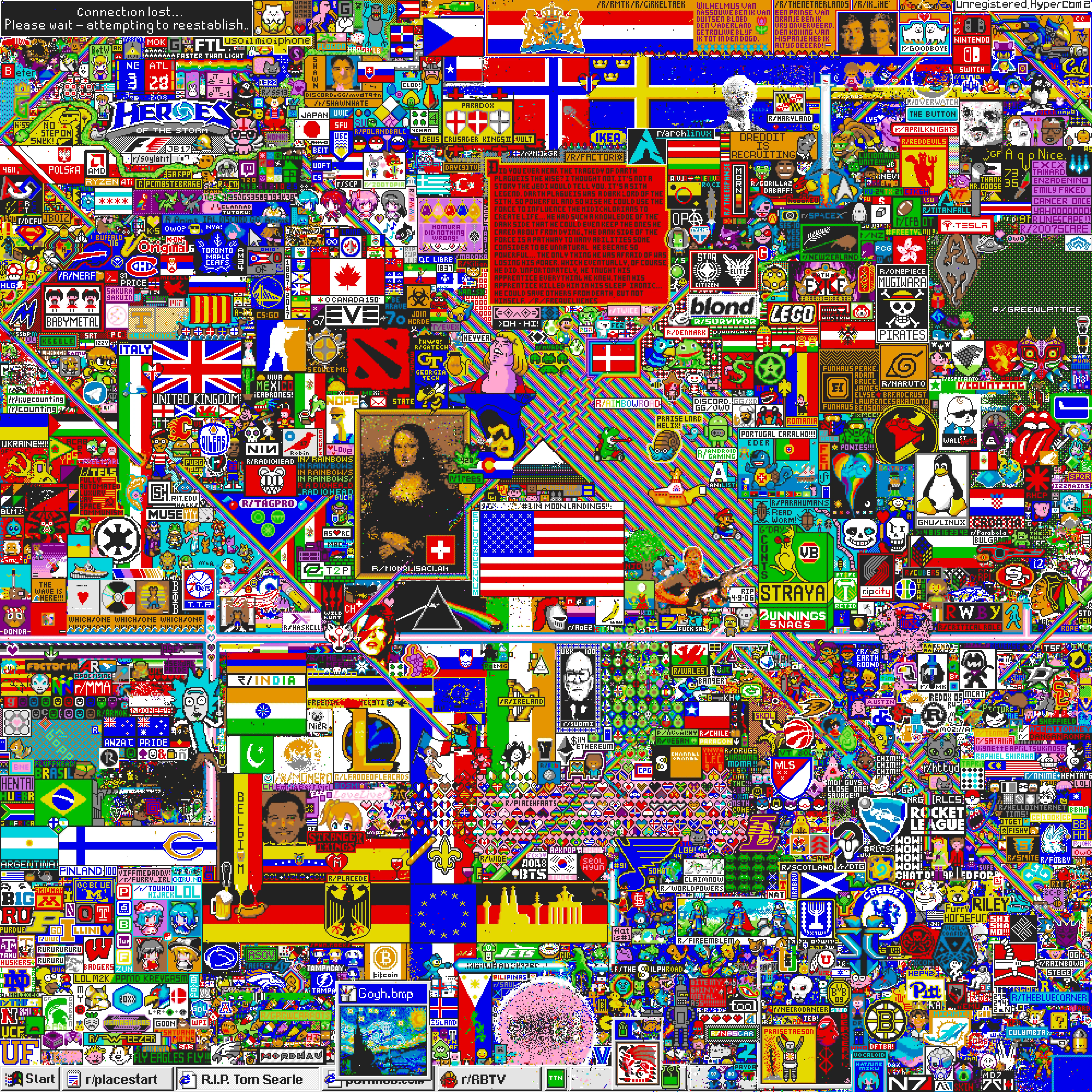
On April Fools' Day 2017, Reddit launched an experiment called r/place: one shared 1000×1000 canvas, where any user could paint any single pixel, but then had to wait several minutes before painting another. Over 72 hours, more than a million people fought over flags, logos, copies of famous artworks, and an ever-encroaching black void. No single person could draw anything alone - every artwork on the canvas was the work of a coordinated crowd, one pixel at a time. It was such a success that Reddit ran it again in 2022 and 2023.
In this assignment, you will build the server for a small r/place: Plaza. Clients connect to your server concurrently to paint pixels and watch the canvas change live. Your server keeps the canvas consistent, and never lets one slow client spoil it for everyone else.
The goals of this assignment are:
- To get experience with Rust's constructs for managing concurrency.
- To design and structure a server in which many threads share state, where the interesting decisions are about who owns what, and where the safety and liveness of the whole program depend on those decisions.
- To have fun building a program you can play around with.
We want to also be explicit about what the goals aren't:
- To teach, or assess, any content related to networking. You do not need any knowledge of TCP, IP, or any other networking concepts. All input and output is handled for you by the provided library.
- To assess your ability to write large amounts of useless cruft solely for us to mark you on. Where you're writing code, we have a reason for it. Where you're writing text, it's because we want to genuinely understand your thinking.
- To assess your artistic ability. Nobody will mark your pixel art.
Part of this assignment involves submitting a mark_request.txt file.
This gives you an opportunity to talk about both the highlights and limitations
of your design. If you can identify limitations in your design, we'll give you some
marks even where we would have otherwise taken them away, since identifying
sub-optimal design and learning from it is part of the challenge of the assignment.
An Introduction to Plaza
The canvas
The canvas is a grid of pixels, width wide and height tall
(64×64 unless the command line says otherwise). A pixel is addressed by its
col (the horizontal coordinate: 0 at the left edge, increasing rightwards)
and its row (the vertical coordinate: 0 at the top, increasing downwards),
always in that order: paint 5 0 red paints the sixth pixel of the
top row. Pixel (0, 0) is the top-left corner, and every pixel
starts white.
Every pixel holds one of the 16 colors of the Plaza palette. Each color has a name, and a one-character code (a hex digit). Codes are used wherever many colors need to be written compactly (snapshot rows and stamps); commands that take a single color accept either the name or the code.
0
white
1
silver
2
gray
3
black
4
pink
5
red
6
orange
7
brown
8
yellow
9
lime
a
green
b
cyan
c
blue
d
navy
e
purple
f
magenta
Sequence numbers
Every write that your server commits (paints and stamps)
is assigned a sequence number: 1 for the first committed
write, 2 for the second, and so on. Sequence numbers are how your server (and our tests)
can talk precisely about when the canvas was in a given state.
Most replies (server-to-client messages) will include the current sequence number.
The Plaza clock
Implementing the painting cooldown requires a notion of time, which in Plaza is
defined in terms of the Plaza clock, which you read with
plaza_lib::clock::now_ms.
When your server runs in terminal mode, the clock is virtual, starting at 0
and only moving when an advance <ms> command is typed. When your
server runs in connection (TCP) mode, the clock follows the wall clock.
You should make sure you only use now_ms().
How your program will work
We have provided you with starter code.
You must use this code as a starting point for your assignment. The
starter code manages all the input and output for you, such that you only need to
implement the plaza library. You should not need to modify
main.rs. The autotests rely on its command-line flags
(--width, --height, --cooldown,
--lag-budget, --mark-mode).
Your server is generic over a
Manager,
which hands you new connections when you call
Manager::accept_new_connection. This can be called repeatedly to accept new
connections. Once Connection::NoMoreConnections is received, the server
should shut down after all existing connections are closed. A connection is made up of a
reader and a writer. You read requests (lines of text) from the reader, and write your
responses to the writer as a
plaza_lib::reply::Reply.
A connection is considered closed once a ReadMessageResult::ConnectionClosed or
WriteMessageResult::ConnectionClosed is received from read_message
or write_message respectively. Any errors returned from those two functions can be
considered fatal/unrecoverable, so you may terminate your program and output that
error. In practice (i.e. in our tests), these unrecoverable errors should never occur.
To run your assignment, you have two options:
-
To start with, you can run your server with no arguments. This will let you enter
commands in the terminal, and see what effect they have. This is the easiest way to
run your code, and is generally recommended.
In terminal mode, you can pretend to be several clients at once. A line likealice: paint 3 4 redbelongs to the senderalice; the first time a sender name appears, a new connection is made to your server. Lines with no sender prefix belong to a single default sender. Every reply is printed prefixed with the sender it belongs to. Two commands are handled by the terminal itself, and never reach your code:sleep <ms>(that sender pauses, in real time) andadvance <ms>(the virtual Plaza clock moves forward).
Importantly, different senders run concurrently. The order of lines in your terminal only orders commands within one sender, not between senders. If you want to test one sender's command happening after another sender's, put asleepin between. -
Alternatively, you can run your server with a single argument, which is a network
address like
127.0.0.1:6991(meaning "on my local computer, on port 6991"). Your program will then accept real connections, which means you can connect from several terminals at once (withnc 127.0.0.1 6991, or6991 rsc 127.0.0.1:6991) and race yourself. If you are on CSE (which is a shared machine with many students), someone may already be using port 6991, so come up with a random number instead (less than 65535).
We have provided a reference solution to check behaviour you are unsure of.
You can run the reference solution with the command: 6991 plaza.
The viewer
Once your server accepts TCP connections (i.e. from Stage 2), you can watch your canvas live! With your server running on, say, port 6991:
6991 plaza-viewer 127.0.0.1:6991opens a full-screen terminal view. The canvas updates live as anyone paints, and you can paint from it yourself using arrow keys or mouse to move,0-9/a-fto pick a color, space or click to paint,qto quit.6991 plaza-viewer --web 127.0.0.1:6991serves the same thing, but as a web page instead (it prints the address to open in your browser).
The viewer is just a client, so it does everything through the same six requests
specified below, including recovering when your server tells it it has
lagged. Watching how it behaves against your server is an
effective way to find bugs.
The requests your server must understand, and the replies it sends, are summarised here. Each is specified in detail in the stage that introduces it:
| Request | Successful reply | Introduced in |
|---|---|---|
paint <col> <row> <color> |
painted <seq> |
Stage 1 |
read <col> <row> |
pixel <col> <row> <color> |
Stage 1 |
snapshot [<col> <row> <width> <height>] |
snapshot <seq> <col> <row> <width> <height>
|
Stage 1 |
stamp <col> <row> <width> <height> <codes> |
stamped <seq> |
Stage 4 |
subscribe <col> <row> <width> <height> |
subscribed <seq>, then diff messages |
Stage 5 |
unsubscribe |
unsubscribed |
Stage 5 |
A write refused by the cooldown (in Stage 3) is answered with
cooldown <ms>. A subscriber that falls too far behind (in Stage 6) is
sent lagged. Any request that is invalid (malformed, off the
canvas, not a real color, a stamp that is too big) is answered with
error: <message>.
plaza_lib::request::Request
implements FromStr, so all parsing is done for you (implemented in
the starter code). The provided parser performs basic checks
(e.g. correct number of arguments, correct types of arguments, valid colors),
but some validations (e.g. cell in bounds, stamp not too large, region non-empty)
is your server's job to decide, and to answer with a Reply::Error.
Your error messages can be whatever you like - during marking only the fact that you
sent an error is checked.
A note on --mark-mode
The starter code includes a flag, --mark-mode. In this mode, any errors
you send back to the user are replaced with a standard message. You should write
descriptive error messages in your program, and they can be completely different to the
reference solution.
How We'll Mark Your Code
In this assignment, we won't be providing Design Excellence like in Assignment 1. That's mainly because apart from just "add more features", there wasn't really anything we felt would significantly add to the experience of doing this assignment.
Markers also won't be providing general feedback over your whole assignment. We've done this for a few reasons:
- We've already had an opportunity to give general Rust feedback to you on Assignment 1
- This assignment focusses more on concurrent design than on general design.
- Necessarily, feedback for this assignment will be given after the end of term so we often find students aren't as interested in general feedback.
Instead, we'll be asking you to answer 5 questions to reflect on your design. In that, you'll point out some particular areas of your code; and where necessary we'll leave feedback on those answers and those bits of code.
Furthermore, if you have particular questions about your design; we encourage
you to leave them in the mark_request.txt file. Your marker will reply to those questions.
Notably, you only need to leave questions if you want to. Also importantly, we've asked markers
to be as specific with their answers as you are with your questions. For example, "how could I
have done better?" is a pretty general question, we'll give some general answers. "in my Blah
struct I returned a Box<dyn Trait>, is there a better way to do that?" is a much more specific
question, which will net a more specific answer.
Specification
The six stages are cumulative. In this specification, a client means
one connection returned by Manager::accept_new_connection. Every request
produces one direct reply, and Stage 5 adds asynchronous subscription messages.
Stage 1: Painting Alone (15% of 75% FC)
Implement paint, read, and snapshot for one
connection. The starter code's single-connection loop is sufficient for this stage.
Protocol
| Request | Successful reply | Effect |
|---|---|---|
paint <col> <row> <color>
|
painted <seq> |
Set one pixel and commit one write. |
read <col> <row> |
pixel <col> <row> <color>
|
Return the current color. |
snapshot |
snapshot <seq> 0 0 <width> <height>
|
Return the whole canvas. |
snapshot <col> <row> <width> <height>
|
snapshot <seq> <col> <row> <width> <height>
|
Return one region. |
Requirements
- The canvas uses the dimensions in
Config. Every pixel startswhite. - A valid
paintcommits even if the pixel already has that color. It receives the next canvas-wide sequence number and is applied beforepainted <seq>is sent. readreturns the color at exactly the requested position.- A snapshot reports the most recent canvas-wide sequence number, or
0before the first write. A regional snapshot still reports the latest sequence for the whole canvas. - Snapshot rows appear top-to-bottom. Each row contains
widthcodes left-to-right. - A position is valid only when
col < canvas widthandrow < canvas height. A region must have non-zero dimensions and fit entirely on the canvas. - An invalid request receives
error: <message>and changes no state. Error text is not mechanically marked.
Coordinates and regions
snapshot 2 1 3 2 selects the blue region;
paint 3 2 red selects the red pixel.
col row. Regions extend right and down
from their top-left pixel.
Example
On an 8×4 canvas (--width 8 --height 4):
read 3 2
pixel 3 2 white
paint 3 2 red
painted 1
paint 3 2 c
painted 2
snapshot
snapshot 2 0 0 8 4
00000000
00000000
000c0000
00000000
snapshot 2 1 3 3
snapshot 2 2 1 3 3
000
0c0
000
Invalid requests return an error and leave the canvas unchanged:
paint 999 0 red
error: (col 999, row 0) is off the canvas
paint 1 1 chartreuse
error: 'chartreuse' is not a color name or color code
snapshot 60 60 8 8
error: region (60 60 8 8) is off the canvas
Stage 2: A Crowd of Painters (20% of 75% FC)
Accept every connection returned by the Manager. All connections operate
on the same canvas.
Requirements
- Process each connection's requests in the order received, and send its direct replies in that order.
- Writes from all connections share one sequence-number counter. The first write has sequence number 1. Sequence numbers have no gaps, and are never duplicated.
- If writes race, either may commit first. The resulting canvas state must agree with their sequence-number order.
- Once a client receives a write acknowledgement, a later read or snapshot must include that write unless a later write has overwritten it.
- An idle connection, including one blocked while reading input, must not prevent other connections from being processed.
- After
Connection::NoMoreConnections, wait for the existing connections to finish and then gracefully shut down.
Racing requests become one commit order
Alice: paint 4 4 red
Bob: paint 4 4 blue
Both requests may arrive at the same time.
(4, 4) = red
The first committed write receives the next global sequence number.
(4, 4) = blue
Blue is final because sequence 18 is later than sequence 17.
Example
alice: paint 0 0 red
alice: painted 1
bob: sleep 80
bob: read 0 0
bob: pixel 0 0 red
bob: paint 0 0 green
bob: painted 2
alice: sleep 160
alice: read 0 0
alice: pixel 0 0 green
A sleep delays only its named sender. Here Bob waits before reading
Alice's write, and Alice waits before reading Bob's write. Without those delays,
several output orders would be correct.
Stage 3: The Cooldown (10% of 75% FC)
Rate-limit writes independently for each connection. Measure all time using
plaza_lib::clock::now_ms().
Requirements
- The cooldown applied is whatever the configured
--cooldownvalue is, multiplied by the number of cells modified in the write. Apaintis just 1, but astampmay modify up to 16. - A cooldown belongs to one connection. Other and newly opened connections have independent cooldown state.
- For a parsed
paintorstamp, check cooldown before semantic validation. A connection still on cooldown receivescooldown <ms>even if the write would also be off-canvas or oversized. - A refused write changes no state, consumes no sequence number, and does not extend the cooldown.
- An invalid write receives
errorand applies no cooldown. - Reads, snapshots, subscriptions, and unsubscriptions are never rate-limited.
Config::cooldown_ms == 0disables rate limiting entirely.
One connection with --cooldown 250
t = 0
painted 1
Next permitted write: t = 250.
t = 100
cooldown 150
The refusal changes no state and does not extend the deadline.
t = 250
painted 2
The original cooldown has expired, so the write may commit.
Example
With --cooldown 250:
paint 0 0 red
painted 1
paint 0 1 blue
cooldown 250
advance 100
paint 0 1 blue
cooldown 150
advance 150
paint 0 1 blue
painted 2
Stage 4: Stamps (10% of 75% FC)
Add an atomic rectangular write:
stamp <col> <row> <width> <height> <codes>.
Requirements
- Width and height must each be between 1 and
plaza_lib::MAX_STAMP_DIM(which happens to be 4), inclusive. codescontains exactlywidth × heightcolor codes in row-major order. The provided parser checks the code count and colors.- The entire stamp region must fit on the canvas.
- A valid stamp commits every pixel together and receives one sequence number. It still commits if some or all pixels already have their requested colors.
- A read or snapshot racing a stamp observes either the complete before-state or the complete after-state, never a partial stamp.
- A stamp charges
cooldown_ms × width × heightmilliseconds of cooldown time. - An invalid stamp changes no pixels, consumes no sequence number, and charges no cooldown.
stamp 1 1 3 2 55c55c is one commit
Examples
stamp 1 1 3 2 55c55c
stamped 1
read 3 1
pixel 3 1 blue
snapshot 0 0 5 4
snapshot 1 0 0 5 4
00000
055c0
055c0
00000
stamp 63 63 2 2 5555
error: a 2x2 stamp at (col 63, row 63) is off the canvas
stamp 0 0 5 5 0000000000000000000000000
error: stamps may be at most 4x4
With --cooldown 100, a 2×2 stamp charges 400ms:
stamp 0 0 2 2 5555
stamped 1
paint 4 4 red
cooldown 400
advance 400
paint 4 4 red
painted 2
Stage 5: The Crowd Watches (25% of 75% FC)
Add live subscriptions. A subscription covers one rectangular region and belongs to one connection.
For this stage, you may assume that every connection reads its replies and diffs
promptly. You do not need to handle output back-pressure or enforce
Config::lag_budget until Stage 6.
Protocol
| Request or message | Meaning |
|---|---|
subscribe <col> <row> <width> <height>
|
Replace this connection's subscription. Reply
subscribed <seq>.
|
unsubscribe |
Remove this connection's subscription. Reply unsubscribed.
|
diff <seq> <col> <row> <color>
|
Asynchronous notification for one committed pixel. |
Requirements
-
subscribed <seq>reports the latest committed sequence number at the instant the new subscription takes effect. -
The connection receives one diff for every committed cell inside its region from
every write with a sequence number greater than the acknowledged
seq. It receives no earlier diffs and no diffs for cells outside the region. - A stamp overlapping the region produces diffs only for the overlapping cells, in the stamp's row-major order.
- Valid writes produce diffs even when they set a pixel to its existing color.
- Diff sequence numbers are nondecreasing. Diffs from one stamp share its sequence number and are contiguous, so no other write's diff may appear between them. Diffs are never omitted or duplicated.
-
Each connection has at most one subscription. A successful
subscribereplaces its previous subscription, if present. An invalidsubscribereturnserrorand leaves the previous subscription unchanged. -
unsubscribeis idempotent, so it succeeds even when the connection has no subscription. No commit processed after the unsubscribe produces diffs for that connection. Diffs already queued or being sent may appear afterunsubscribed. - Closing a connection removes its subscription.
- A subscribed connection can continue using every request. Its direct replies appear in request order, and its diffs satisfy the ordering rules above. No other ordering is promised between direct replies and diffs.
Example
sub: subscribe 0 0 4 4
sub: subscribed 0
sub: sleep 300
w: sleep 50
w: paint 1 1 red
w: painted 1
sub: diff 1 1 1 red
w: sleep 50
w: stamp 3 3 2 2 cccc
w: stamped 2
sub: diff 2 3 3 blue
w: sleep 50
w: paint 60 60 red
w: painted 3
sub: unsubscribe
sub: unsubscribed
The subscriber receives the in-region paint and the one cell where the stamp overlaps
its region. It receives nothing for the paint at (60, 60).
Stage 6: Slow Connections (20% of 75% FC)
Remove Stage 5's assumption that clients keep reading. A client may stop reading while your server is sending a direct reply, a diff, or a snapshot. That connection may stop making progress, but the rest of your Plaza server must not. Stage 6 adds no new canvas-consistency rules or any new commands. The challenge is in upholding all of the previous properties / requirements in the presence of one or more slow connections.
Protocol
| Message | Meaning |
|---|---|
lagged |
This connection's subscription was cancelled because adding more diffs would
exceed Config::lag_budget.
|
Requirements
-
A blocked
Writer::write_messageaffects only that connection. Other connections must continue to be accepted and must continue processing requests, committing writes, receiving direct replies, and receiving subscription diffs. - A slow snapshot recipient must not keep the canvas or other shared state unavailable while the snapshot is written. Capture the snapshot's sequence number and pixels as one valid state, then deliver that captured reply without blocking unrelated work.
-
Track queued diffs separately for each subscription. At most
Config::lag_budgetdiffs may be waiting to be written for one subscriber. Note: the operating system's socket buffers do not count towards this limit. -
If adding all of one commit's diffs would exceed the budget, remove that subscriber's
queued diffs, queue one
laggedmessage, and cancel its subscription. Never queue only part of a stamp's diffs. -
Direct replies, snapshots, errors, and acknowledgements do not count towards the diff
budget and are never discarded by the lag rule. A diff already being written may
arrive before
lagged. -
After receiving a
lagged, the connection remains usable and may choose to subscribe again.
Examples
With --lag-budget 2, suppose a subscriber is taking a long time to read the
diff for sequence 40 (i.e. the write_message is blocking),
and all in the meanwhile:
-
Commit 41 produces one in-region diff. One diff is now waiting for the subscriber.
-
Commit 42 produces one in-region diff. The queue now contains its permitted maximum of two diffs.
-
Commit 43 would add a third diff. Remove the queued diffs for 41 and 42, queue
lagged, and cancel this subscription. Commit 43 and its acknowledgement still complete normally. -
The connection eventually reads
lagged. It remains connected and may subscribe again to resume watching.
If commit 43 were a stamp producing several in-region diffs, the result would be the same. Either every diff from that stamp fits, else none of them are queued.
Testing
Run the autotests with:
6991 autotest
During development, the faster suite uses the same assertions with shorter stress-test workloads:
6991 autotest --fast
| Stage | Relevant test groups |
|---|---|
| Stage 1 | simplest_test_cases, errors |
| Stage 2 | multiple_connections |
| Stage 3 | rate_limiting |
| Stage 4 | stamps and the torn-stamp stress test |
| Stage 5 | subscriptions and the subscription stream audit |
| Stage 6 | slow_connections |
Design Questions
These questions are worth 15% of your final mark for this assignment.
You should answer them in the mark_request.txt file.
Questions which talk about code require specific references to lines of code
(like "src/main.rs:123"). You must not write more than 150 words for each question
(the autotests check this).
-
(Requires attempting stage 2)
With Alice blocked insideread_message, Bob sendspaint 0 0 red. Identify the code that allows Bob's request to reach the canvas before Alice'sread_messagereturns. Explain why Alice's blocked connection is not on Bob's execution path. -
(Requires attempting stage 3)
Consider a server with--cooldown 100. Alice successfully paints, then Alice and Bob both immediately issue another paint. Identify the code and state that cause Alice to receivecooldown 100while Bob's paint succeeds. Explain why Alice's first write doesn't place Bob on cooldown. -
(Requires attempting stage 4)
A2×2stamp races with a snapshot covering the same cells. Identify the code that prevents the snapshot from running between two pixel updates from the stamp. State what the snapshot observes in each possible execution order. -
(Requires attempting stage 5)
The canvas is atsequence 40. Alice is subscribed to the left half of the canvas, then replaces that subscription with the right half while Bob performs a stamp atsequence 41that touches both halves. Identify the code that handles a subscription interacting with part of a stamp. Describe every transcript Alice may receive for these operations. Explain why no other transcript is possible. -
(Requires attempting stage 6)
Suppose Alice'sWriter::write_messagenever returns while sending a diff. What state or synchronization, if any, remains held by that call? Identify the relevant code, then explain why those retained resources cannot prevent another client from updating the canvas or cause Alice's pending diff storage to exceedlag_budget.
Other Information
Submission
See the instructions down the bottom of the page.
Using Other Crates
We are happy for you to use any crate that has been published on crates.io under three conditions:
-
The crate must not have been authored by anyone else in the course.
-
The crate must have at least 1000 downloads, excluding the last 30 days.
-
The crate must not impose license restrictions which require you to share your own code.
If you are in doubt (or think these restrictions unfairly constrain you from using a reasonable crate), ask on the course forum.
Marking Scheme
There are 3 things on which you will be marked:
- Mechanical Style (10% of the total marks for this assignment)
- Functional Correctness (75% of the total marks for this assignment)
- Design Questions (15% of the total marks for this assignment)
And a detailed analysis is shown below:
1. Mechanical Style (10%):
We will look at your crates, and make sure they:
- Compile, with no warnings or errors.
- Raise no issues with
6991 cargo clippy. - Are formatted with
rustfmt(you can run6991 cargo fmtto auto-format your crate). - Have any tests written for them pass.
If they do all of the above, you get full marks. Otherwise, we will award partial marks. This is meant to be the "easy marks" of programming.
2. Functional Correctness (75%):
You should pass the provided test cases. We will vary the test case very slightly during marking, to ensure you haven't just hard-coded things; but we're not going to do anything that's not just changing around some commands and re-ordering things.
3. Design Questions (15%):
You should answer the 5 design questions from above. You will be marked based on your response to these questions, and the relevant code and design that you reference as part of your answers.
IMPORTANT: your marks for the assignment are not the percentage of tests which you pass. We'll scale the tests to fit in with the weights described above.
You should complete the questions of the
mark_request faithfully.
If you do not answer the questions in the file, you will not receive design question marks.
The "Questions to the Marker" do not count towards any marks and are entirely optional.
Note that the following penalties apply to your total mark for plagiarism:
| 0 for the assignment | Knowingly providing your work to anyone and it is subsequently submitted (by anyone). |
| 0 for the assignment | Submitting any other persons work. This includes joint work. |
| 0 FL for COMP6991 | Paying another person to complete work. Submitting another persons work without their consent. |
Formal Stuff
Assignment Conditions
-
Joint work is not permitted on this assignment.
This is an individual assignment.
The work you submit must be entirely your own work. Submission of any work even partly written by any other person is not permitted.
The only exception being if you use small amounts (< 10 lines) of general purpose code (not specific to the assignment) obtained from a site such as Stack Overflow or other publicly available resources. You should attribute the source of this code clearly in an accompanying comment.
Assignment submissions will be examined, both automatically and manually for work written by others.
Do not request help from anyone other than the teaching staff of COMP6991.
Do not post your assignment code to the course forum.
Rationale: this assignment is an individual piece of work. It is designed to develop the skills needed to produce an entire working program. Using code written by or taken from other people will stop you learning these skills.
-
The use of code-synthesis tools is permitted on this assignment, however beware -- the code it creates can be subtly broken or introduce design flaws. It is your job to figure out what code is good. Your code is your responsibility. If your AI assistant blatantly plagiarises code from another author which you then submit, you will be held accountable.
Rationale: this assignment is intended to mimic the real world. These tools are available in the real world. However, you must be careful to use these tools cautiously and ethically.
-
Sharing, publishing, distributing your assignment work is not permitted.
Do not provide or show your assignment work to any other person, other than the teaching staff of COMP6991. For example, do not share your work with friends.
Do not publish your assignment code via the internet. For example, do not place your assignment in a public GitHub repository. You can publish Workshops or Labs (after they are due), but assignments are large investments for the course and worth a significant amount; so publishing them makes it harder for us and tempts future students.
Rationale: by publishing or sharing your work you are facilitating other students to use your work, which is not permitted. If they submit your work, you may become involved in an academic integrity investigation.
-
Sharing, publishing, distributing your assignment work after the completion of COMP6991 is not permitted .
For example, do not place your assignment in a public GitHub repository after COMP6991 is over.
Rationale: COMP6991 sometimes reuses assignment themes, using similar concepts and content. If students in future terms can find your code and use it, which is not permitted, you may become involved in an academic integrity investigation.
Violation of the above conditions may result in an academic integrity investigation with possible penalties, up to and including a mark of 0 in COMP6991 and exclusion from UNSW.
Relevant scholarship authorities will be informed if students holding scholarships are involved in an incident of plagiarism or other misconduct. If you knowingly provide or show your assignment work to another person for any reason, and work derived from it is submitted - you may be penalised, even if the work was submitted without your knowledge or consent. This may apply even if your work is submitted by a third party unknown to you.
If you have not shared your assignment, you will not be penalised if your work is taken without your consent or knowledge.
For more information, read the UNSW Student Code, or contact the course account.
When you are finished working on this exercise, you must submit your work by running give:
6991 give-crate
The due date for this exercise is Week 10 Sunday 17:00:00.
Note that this is an individual exercise;
the work you submit with give must be entirely your own.