 COMP1531 - Practice Exam
Getting Started
Working
All provided files for this exam are located in your home directory.
Simply open a terminal or text editor in your home directory and you will be able to access all the files.
You do not need to run npm install for this exam. This will do nothing, as packages have already been installed for you.
Accessing Resources
Right-click the desktop background to access the resources and language documentation available for this exam:
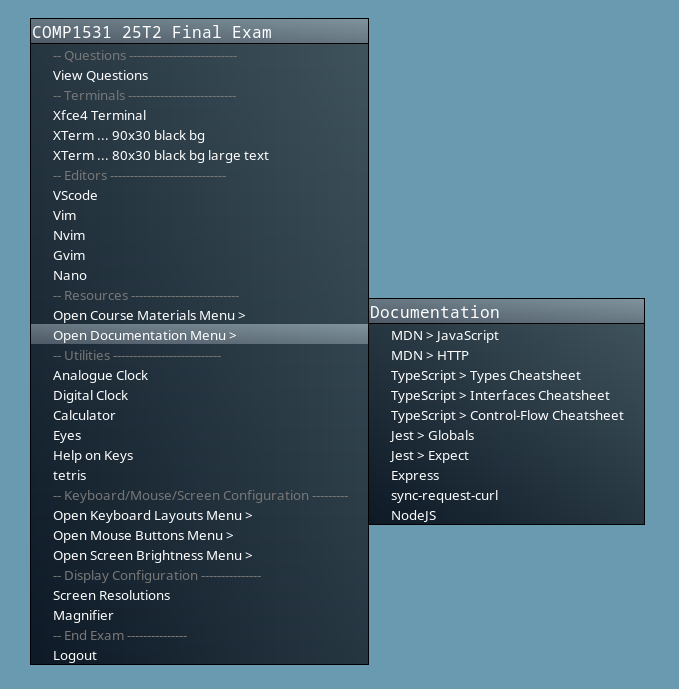
See the "Resourcess" tab for other access options.
Submission
If no submissions have been made for a question, we will take the file from your working directory.
You can also submit a specific version of your answer by running:
submit --question < question no. or theory or all >
# For example:
submit --question theory    # To submit all theory questions
submit --question 3         # To submit a specific theory question
submit -q 3                 # Shortened
To see what you've submmited for a question, you can run:
submit --peek <question no.>
# For example
submit --peek 3
submit -p 3
To see a list of all submissions you've made, you can run:
submit --list
# or
submit -l
Restoring Starter Code
If you make a mistake and need a new copy of a particular file, you can do the following:
rm <broken-file>
# where <broken-file> is the name of the file you wish to replace
fetch
Only files that don't exist will be recreated.
All other files will remain untouched.